This post contains affiliate links. This means that as a Flodesk Partner, I may earn a commission when you click or purchase at no additional cost to you. Thank you so much for your support of my small business!
If creating content makes you want to toss your laptop out a window, I see you. Churning out hundreds of pieces of content a month works swell for a machine, but not-so-great for a human with creativity that comes in waves.
This post explores the concept that content creation doesn't necessarily have to be about creating more, but instead using what you've already created and sharing it in a variety of ways. We cover how to repurpose content for social media from one email newsletter built in Flodesk, with practical examples to inspire you.
Introduction to Repurposing Newsletter Content
Since the dawn of time (or at least the dawn of my first business, circa 2019), I've been an advocate for two things: repurposing content and utilizing Flodesk for email marketing. We'll cover why Flodesk is my recommended email platform as a marketing strategist in a bit (try it free and get 25% off your first year here), but for now, know this: it makes writing email newsletters simple.
For most business owners, writing an email newsletter takes time and intention. It's a wonderful place to be vulnerable with your audience, build trust and genuine connection points, and expand on your work and impact. Repurposing your newsletter content maximizes your time and visibility, because you're sharing those same connection points and topics in a variety of ways, across your different marketing channels.
And as we know in marketing, repetition is key. The rule of 7, stating people need to see or hear the same thing from you 7 times before taking action (aka, buying your product or service), is now more like the rule of 50. The more ways you can say the same underlying concept, the better.
How One Email Turned Into 10 Pieces of Content to Expand Visibility
Repurposing content from my emails is one of my favorite ways to fill out my content calendar. Here is my process for doing this, and a practical example from my own Flodesk account of how I turned one email newsletter into 10 pieces of individual content to expand my brand's visibility and help my mission reach the right people.
Use an email newsletter as your anchor content.
When you go to implement a content repurposing system, it's easiest to start with your anchor content. This is often long-form content such as a blog post, email newsletter, YouTube video, or podcast episode. Your anchor content is rather meaty with multiple points, which you'll pull from in the next section.
To each his own, but personally I find email newsletters to be one of my favorite starting points for repurposing content. My content process typically begins with a blank content calendar, where I fill in my weekly emails and monthly blog posts (anchor content) first. From there, I repurpose that content into smaller pieces of individual content for social media platforms.
Turn smaller points into individual pieces of content.
Now it's time for a fun little game: how many individual points can you pull from that one email? Go through the email and pull out individual tips, powerful lines, and solo concepts that you can turn into unique pieces of content across various social platforms.
For example, if your email covers 3 things to do before you hire a VA, each of those could be an individual post on socials. You can even go deeper than that—if step #1 is to create your SOPs, your repurposed content could look like:
Why SOPs matter before you hire
What working with a VA looks like with vs. without SOPs
The first 5 SOPs to put in place
Allow your anchor content to inspire your content ideas for social media. You may be surprised how quickly your content calendar fills up when you repurpose from an email!
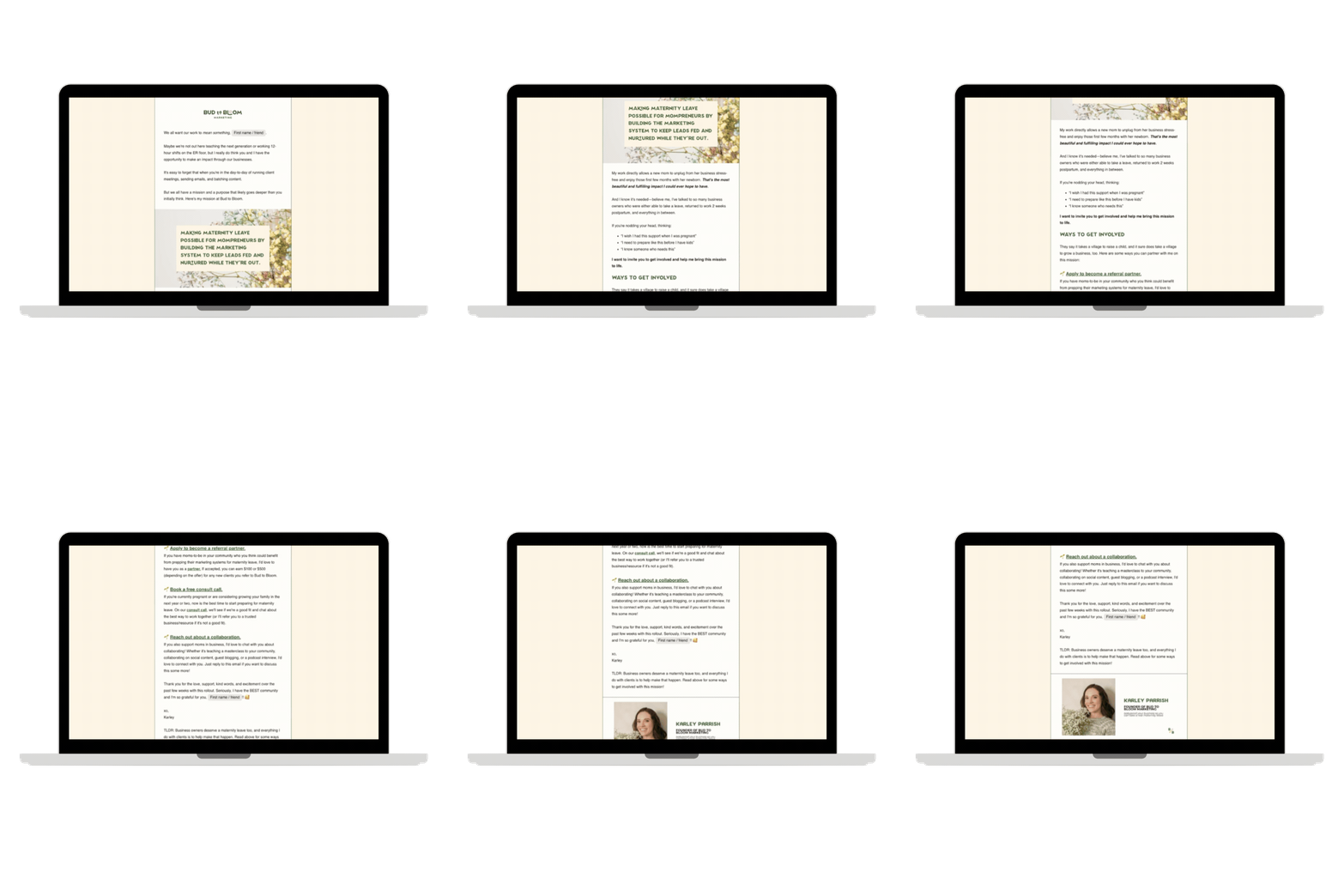
Real Example of a Repurposed Email
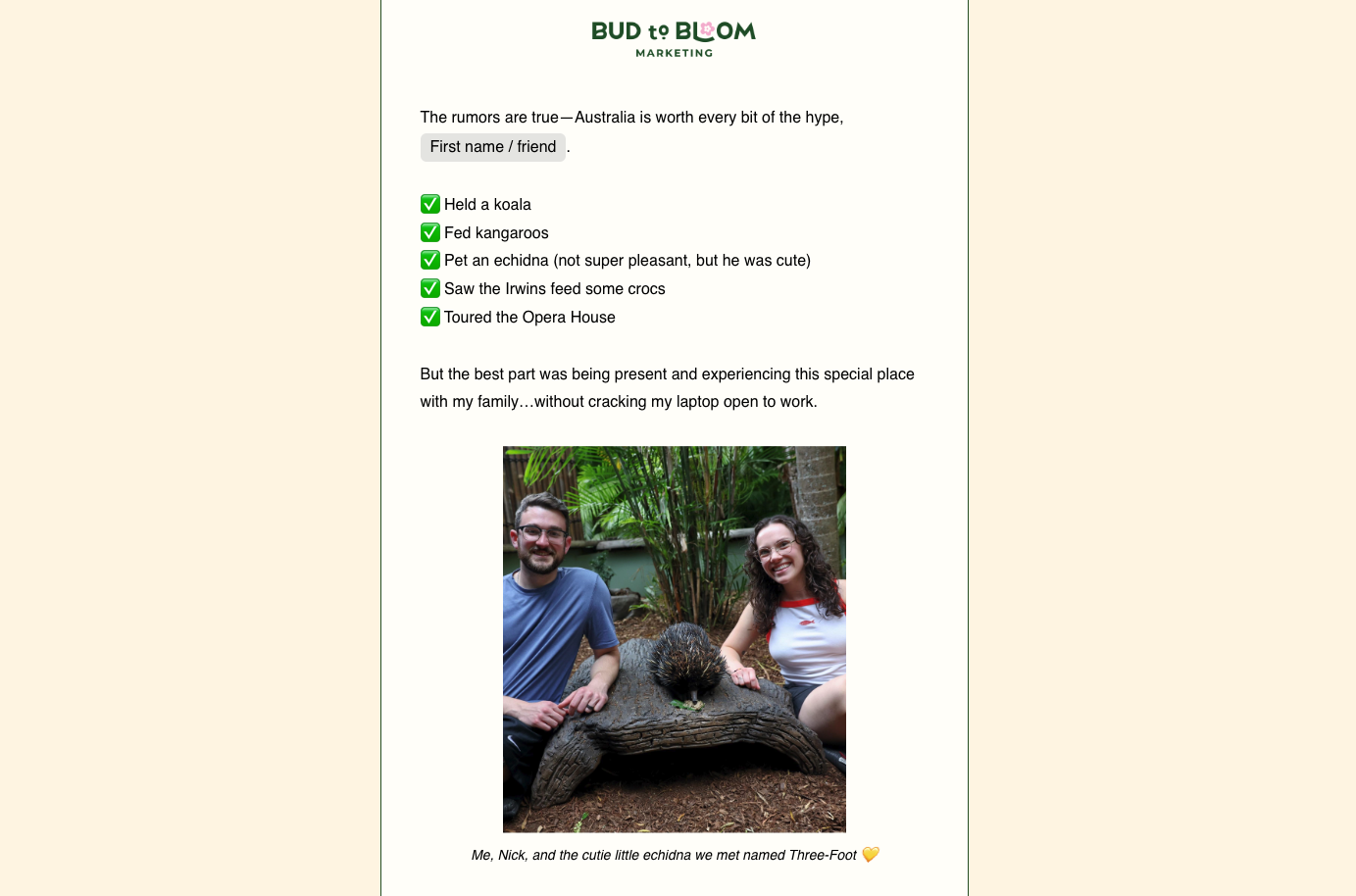
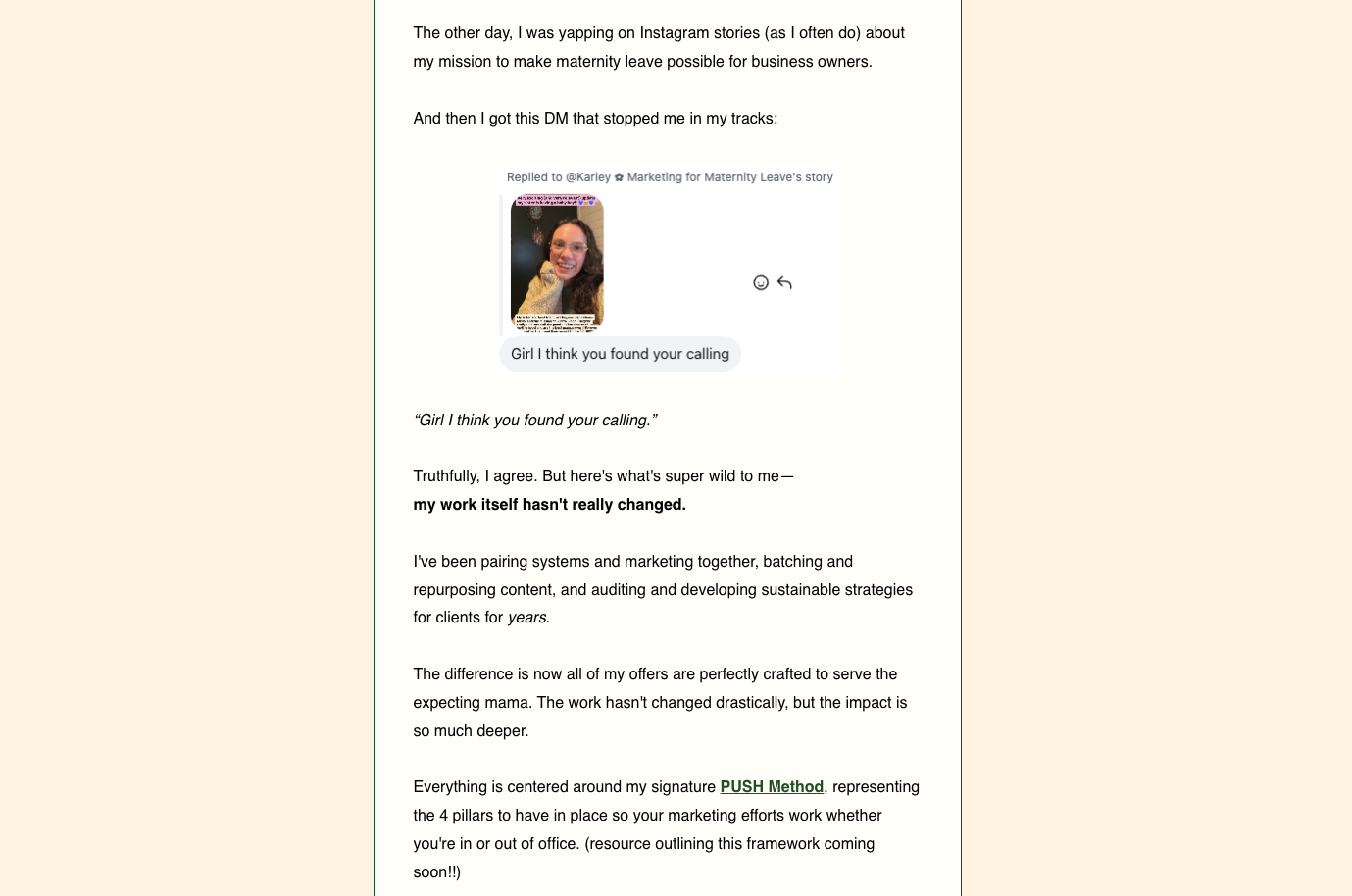
Now it's time to get practical. Let's start with a real email newsletter I sent to my email list, and then I'll share examples of how I repurposed it for Threads and Instagram content.
Click here to read the full email this example is based off of. This was sent to an active segment of my list (499 subscribers) on July 23, 2026 and received a 60.1% open rate. The subject line was "it takes a village".
The primary goal of this email was to increase awareness of my recent shift from general marketing strategy and implementation services to helping business owners prepare their marketing for maternity leave. I aimed to share my mission (and heart behind it), the transformation my clients experience, and invite my community to get involved with my mission in whichever way aligns best for them.
This was a very important email to send, but it by no means should be the only time I share about my mission and why my work is so important to me. Instead, it was the perfect starting point for my social media content. I repurposed (and still continue to repurpose) this email into various posts on both Threads and Instagram.
Repurposed Threads Examples
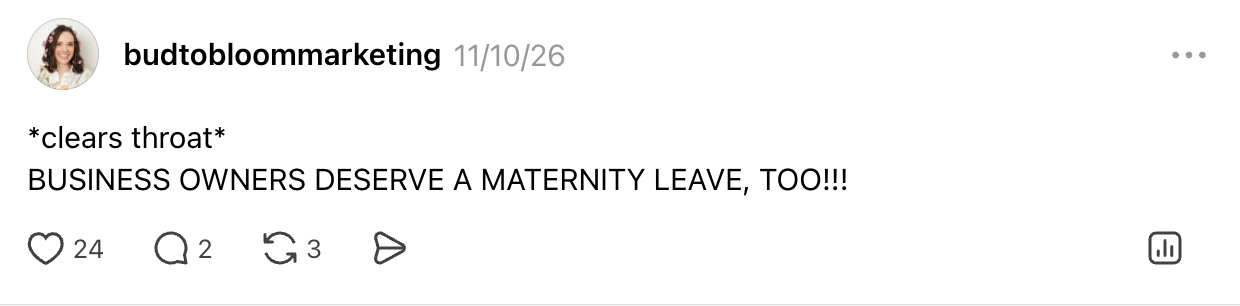
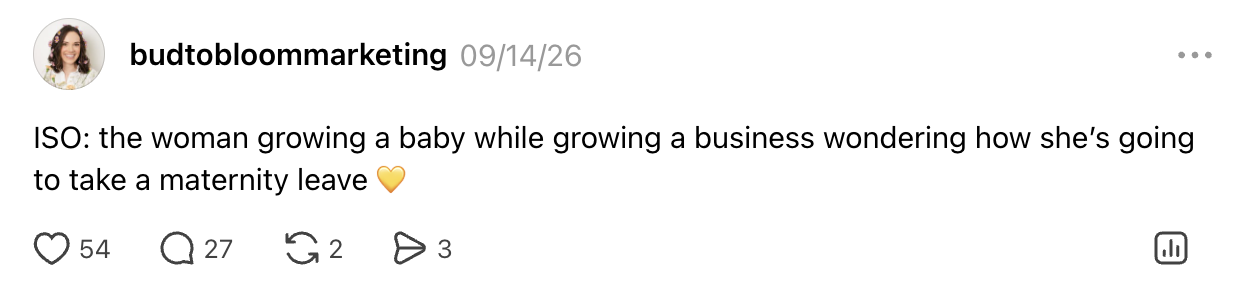
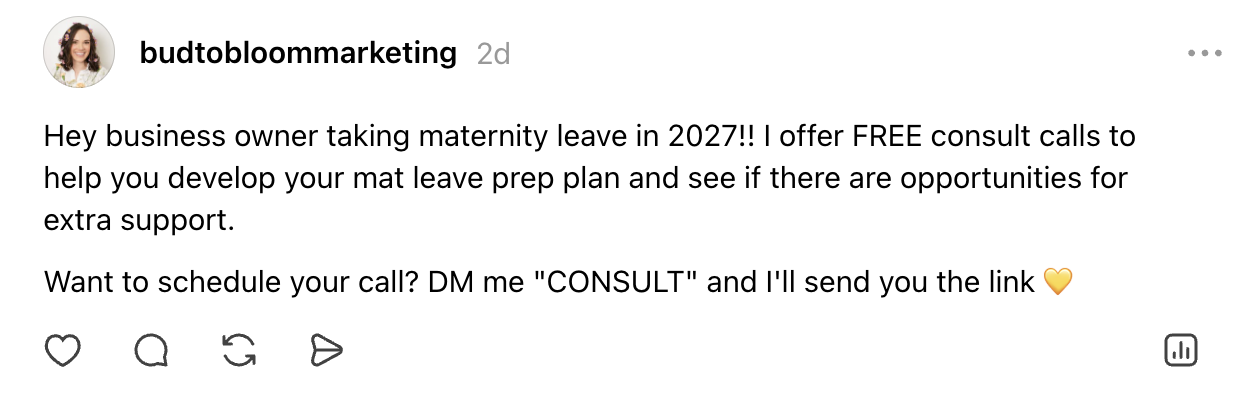
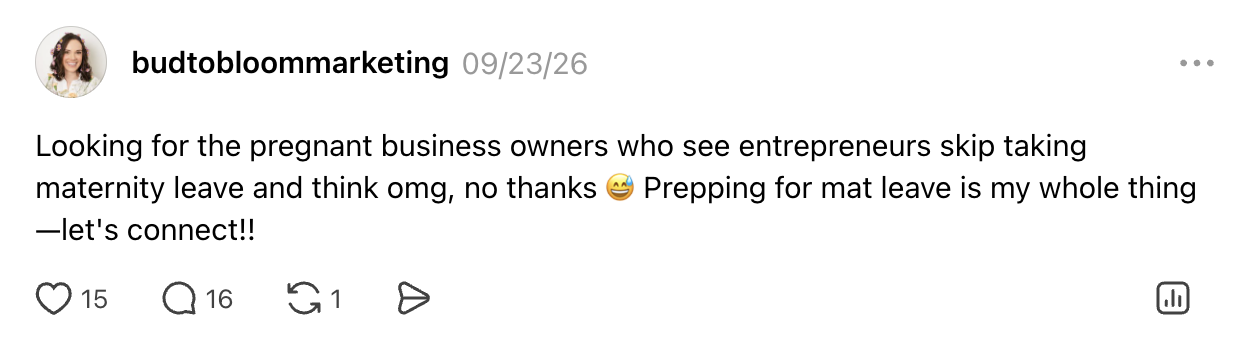
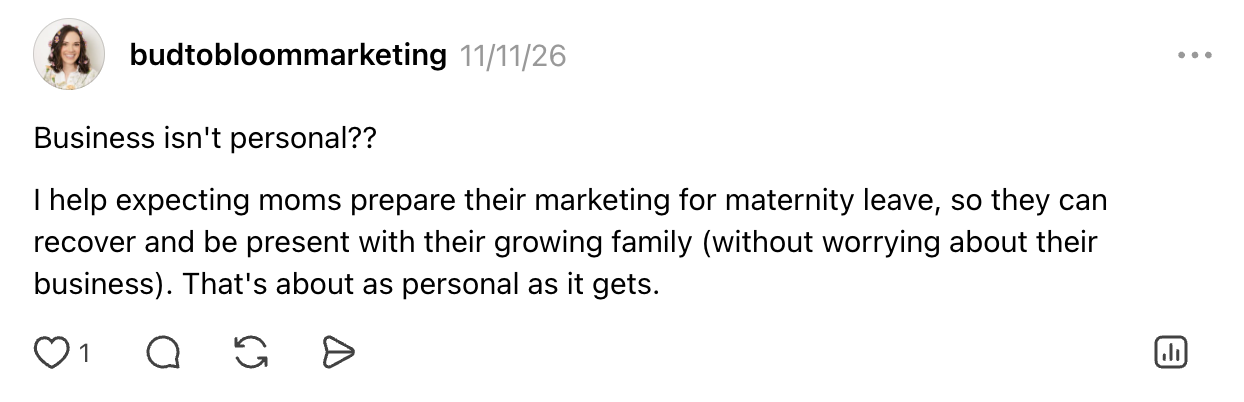
Threads is one of my favorite platforms to repurpose emails to, because you can pull one liners out to start conversations. Here are some examples of Threads pulled from the email above:
Business isn't personal?? I help expecting moms prepare their marketing for maternity leave, so they can recover and be present with their growing family (without worrying about their business). That's about as personal as it gets.
clears throat BUSINESS OWNERS DESERVE A MATERNITY LEAVE, TOO!!!
Looking for the pregnant business owners who see entrepreneurs skip taking maternity leave and think omg, no thanks 😅 Prepping for mat leave is my whole thing—let's connect!!
Hey business owner taking maternity leave in 2027!! I offer FREE consult calls to help you develop your mat leave prep plan and see if there are opportunities for extra support. Want to schedule your call? DM me "CONSULT" and I'll send you the link 💛
ISO: the woman growing a baby while growing a business wondering how she’s going to take a maternity leave 💛
to whom it may concern: you can grow and nurture your email list while you're on maternity leave

Repurposed Instagram Examples
Instagram is another place I often repurpose email newsletters to, as you can pull quotes and concepts out and turn them into reels and carousels. Here are some examples of repurposed Instagram content from the email newsletter example above.
Reel: Business owners deserve a maternity leave too!
Carousel: Kinda chic to take a maternity leave as a business owner
Reel: Someone's gotta help the entrepreneurs prep their marketing for maternity leave
Carousel: Every mom deserves a maternity leave, including business owners
Why Use Flodesk for Email Marketing?
This whole process started with just one email created in Flodesk, the email marketing platform I've used and recommended since late 2019. Click here to try it for yourself free and get 25% off your first year if you join!
Here are some reasons why Flodesk remains my top recommendation for small business email marketing.
Unlimited Growth
What sets Flodesk apart from other email marketing platforms out there is they allow for unlimited growth, without charging you more. This means you can grow your subscriber base, segments, workflows, and ultimately, your business, while paying the same flat fee for your email service provider.
With Flodesk, you'll pay one flat price for unlimited subscribers and emails, so you can grow your list without growing your email expenses.
Simple Interface and Drag-and-drop Builder
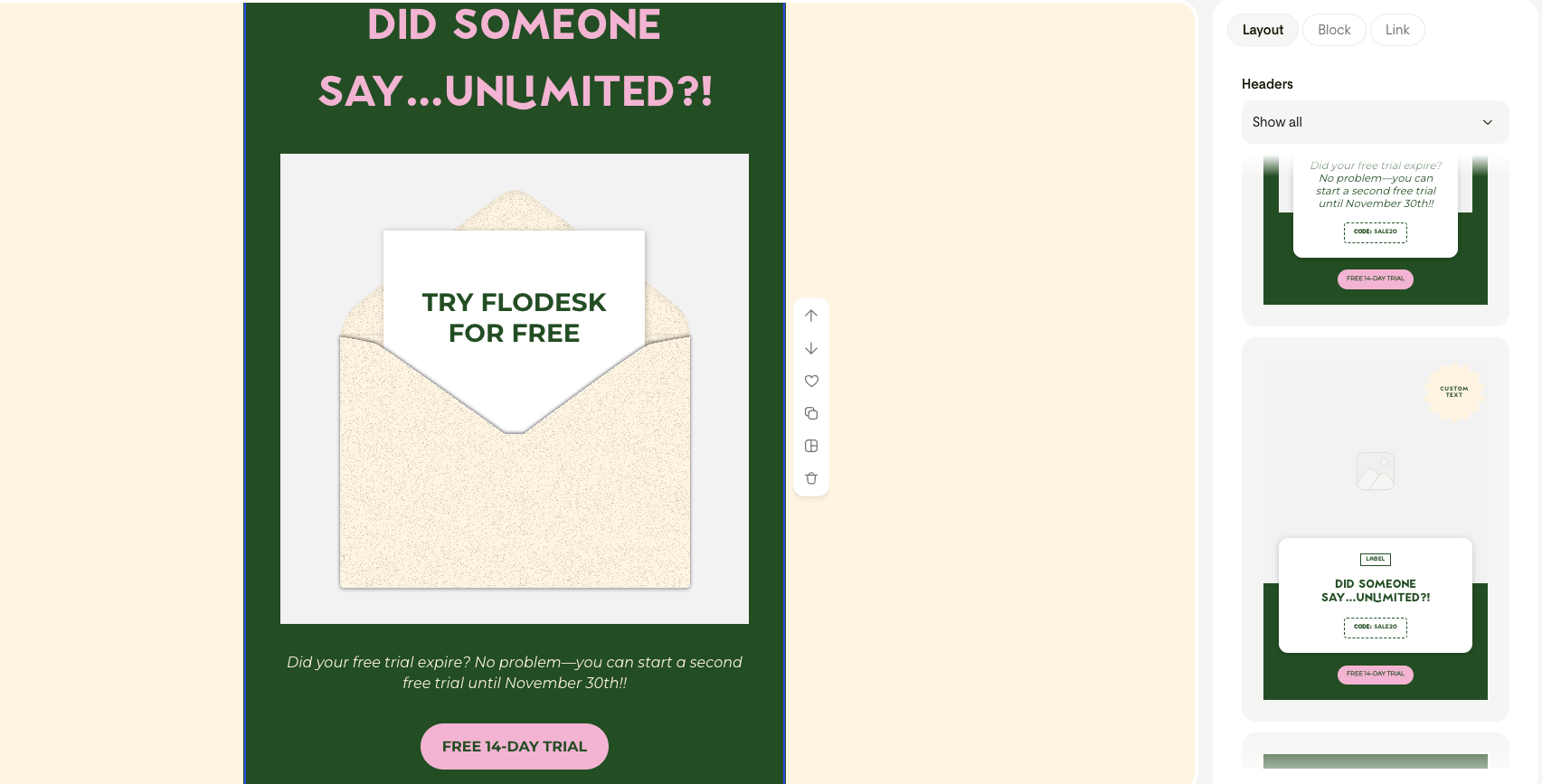
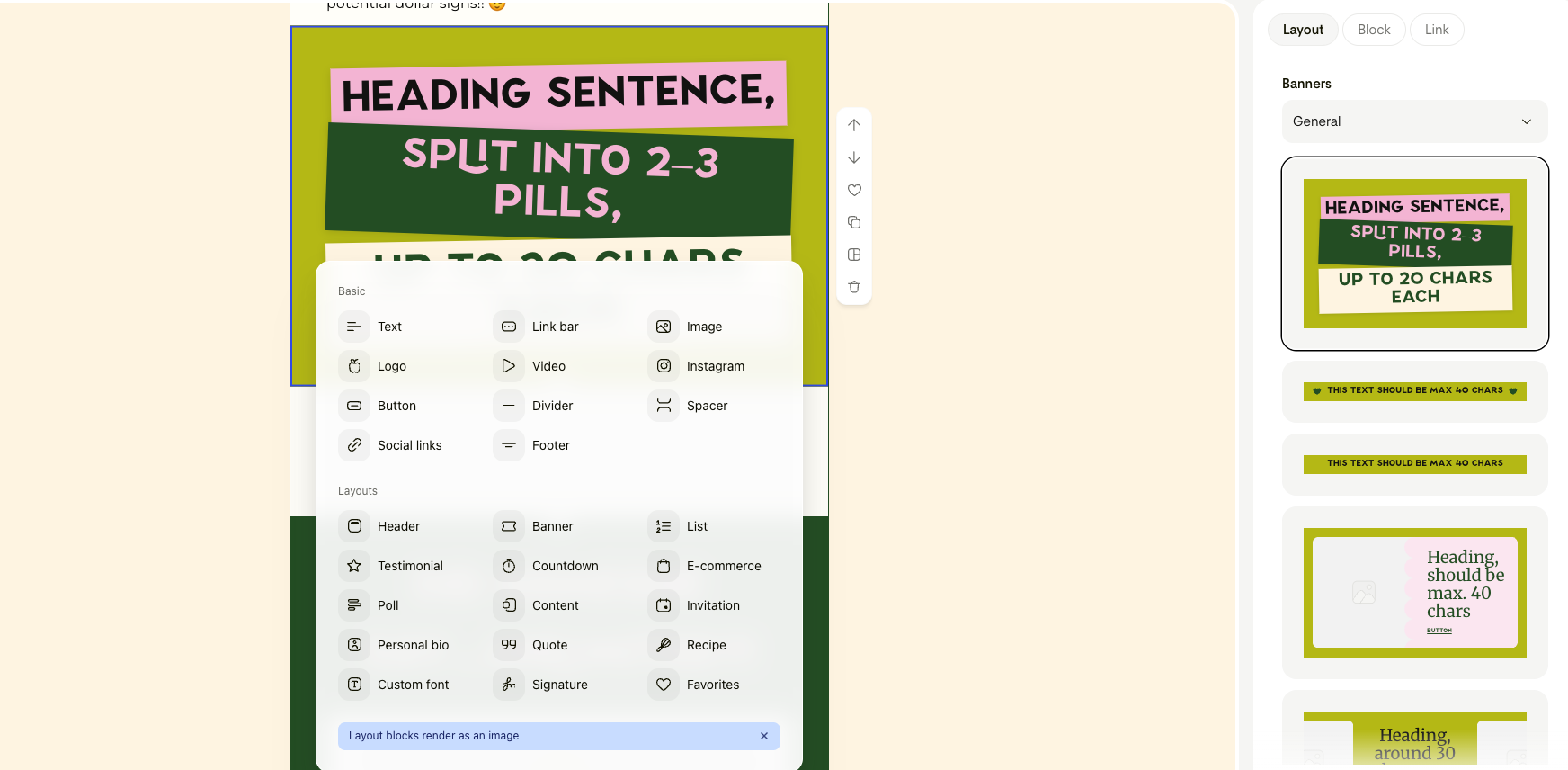
If you've found other email platforms to be a bit clunky or confusing, you will LOVE the Flodesk builder. The interface is incredibly intuitive, with the ability to add new blocks and layouts to your emails.
The Flodesk builder is drag-and-drop, making it super simple to customize your emails. Select a layout (created by Flodesk's team of talented designers), and drag-and-drop the elements within the layout to suit your needs.
Use Built-in AI (or Don't!)
Flodesk recently incorporated AI features inside the platform, but what I appreciate is that you can choose whether or not you use them. AI not your thing? No problem—you can toggle AI "off" inside your account's setting.
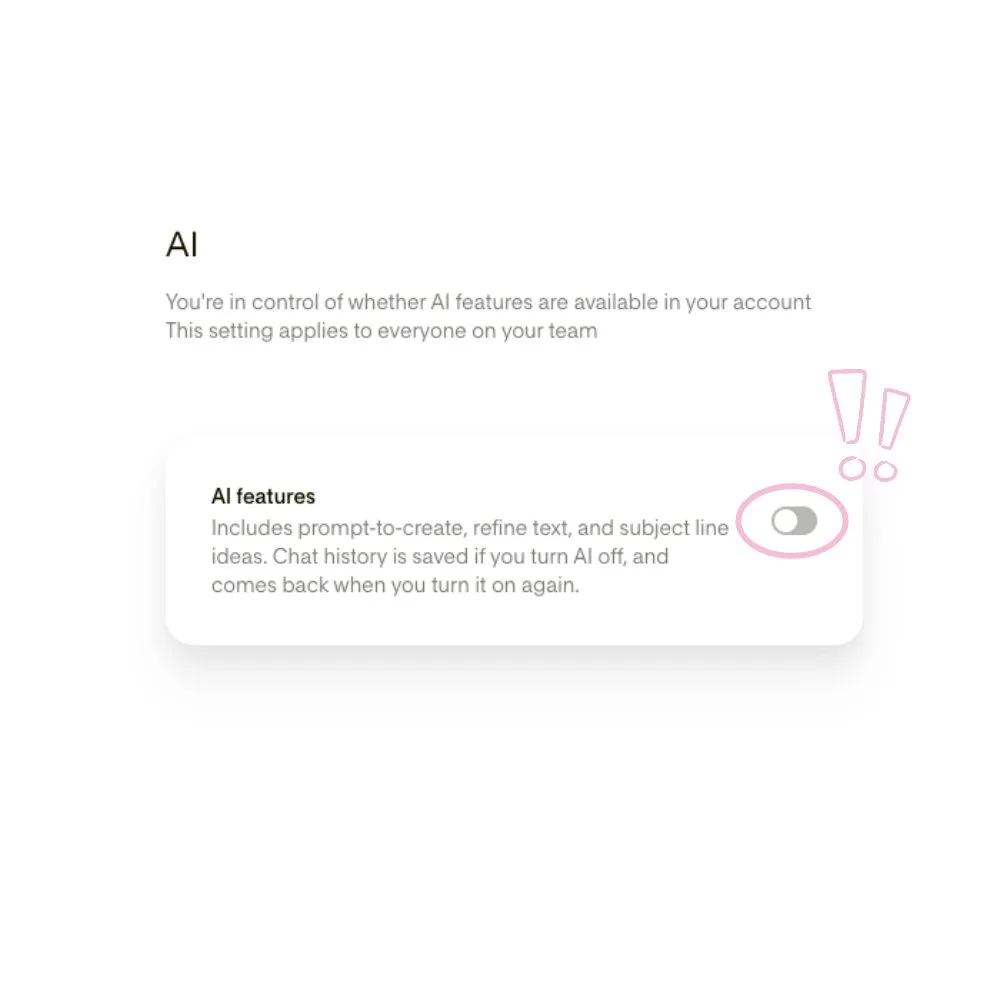
If you do choose to use AI, Flodesk allows you to create and customize your emails via chat prompts right within the builder. They're making email marketing more accessible than ever, by removing all the barriers and roadblocks that could be standing in the way of small business owners.
Powerful Integrations and Features
Flodesk is constantly rolling out powerful features and integrations, based on what their community asks for. Some of my favorite Flodesk features include:
Yes/no branching logic in workflows
Analytics
Forms builder
They also natively integrate with many platforms you're probably already using, eliminating the need for a third-party automation app. Here are some of my favorite native integrations inside of Flodesk:
Canva
Interact
Squarespace
Honeybook
Feel Good about Who You're Supporting
When it comes to choosing which companies to support, I want to choose companies that align with my values. Flodesk is women-owned, and they truly champion small businesses. They've shown time and time again how they support and value their community.
I admire how kind and responsive the Flodesk team is, and that they listen to what their community needs instead of only following what will make them more money. They stick to their values, are honest and upfront about changes, and reward customer loyalty. For that, I am forever grateful to be a Flodesk partner.
If you want to give Flodesk a try and grow your list without hesitation, click here to try it out for free and get 25% off your first year!
FAQs about Repurposing Newsletter Content
-
Start with a piece of anchor content, or long-form content, such as an email newsletter. From there, pull out individual lines, concepts, and ideas that you can use on other short-form content platforms, such as social media. I recommend repurposing email newsletters into individual or multi-thread posts on Threads, Instagram carousels, and Instagram reels.
-
Flodesk is the email platform I recommend to small business owners, as a marketing strategist. It offers unlimited subscribers and emails for one flat rate, boasts powerful features and native integrations, and has a simple interface for sending beautiful, on-brand emails.